

Introduction
Did you know that having multiple variations of the “same” URL can hurt your Google rankings?
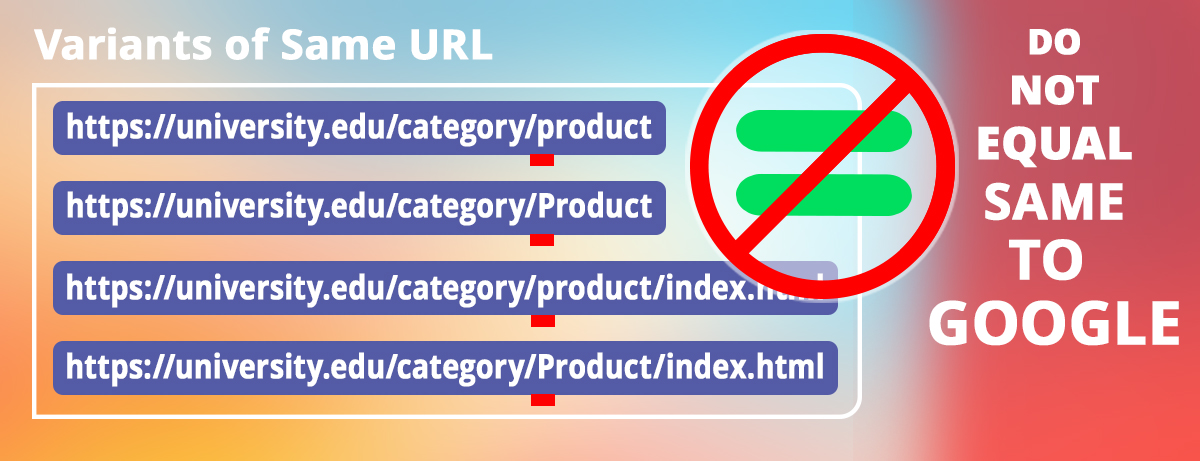
But they all go to the same page, so why does Google care?
To a developer or website administrator, these all feel like the same page because they show the same content to the visitor. But Google does not see them as the same. Instead, Google sees each version as a separate page, like quadruplets of the same content.
Why Is This Bad?
It can take months for a URL to increase its rankings in Google. When a URL goes live and gets picked up by Google, it does not start ranking in position 1 for relevant keywords immediately. It usually begins ranking in position 100, then slowly over months will rise in the rankings. For example, a page may start ranking in position 100, then, over the following months, move to position 80, then 50, then 20, then 10, then 1.
When there are multiple URLs for the same content, Google may rank one for a while and then suddenly switch to another, causing all versions to constantly lose momentum and prevent any single URL from reaching its full ranking potential. For example, URL 1 (https://url.com/product) could start ranking in position 100, then get up to 80, before Google decides to stop ranking that URL and start ranking one of the other versions, URL 2 (https://url.com/product.html). URL 2 doesn’t just start ranking in the same position as URL 1. Rather, URL 2 must crawl up in the rankings from position 100 again. In other words, all the momentum is lost.
What Should My URLS Look Like?
So, what should URLs look like?
- Use lowercase
- Avoid file endings like .html or .php
- Use one version of your domain (either with or without www)
- Keep URLs short and readable: tracking can get lost with URLs that are too long; you will lose all tracking after 250 characters
How Do I Fix This Issue on Existing URLs?
What if I already have multiple versions of the same URL? Luckily, it’s simple to fix this issue.
Use 301 Redirects
Redirect all URL variants to the SEO-friendly URL variant. A 301 redirect tells Google, “This is the one true version of the URL. Send everyone here.”
Update Canonicals
On all variants, include the SEO-friendly URL in the canonical tag. A canonical tag tells Google, “If you find duplicates, this is the official one.” Canonical tags can be updated through your CMS.
Update Internal Links
Make sure pages on your site are linking to the same SEO-friendly version every time.
If your own menu links to /product.html but your blog links to /product, you’re accidentally telling Google you have two pages.
How Should I Be Creating URLs in the Future?
Here is a simple rule of thumb: pick one version and use it everywhere. Then all newly created URLs should follow that format.
Stay tuned for more tips to rank well in Google and AI algorithms.